Raspberry Pi Server
My own private server hosted and maintained by myself on my network infrastructure.
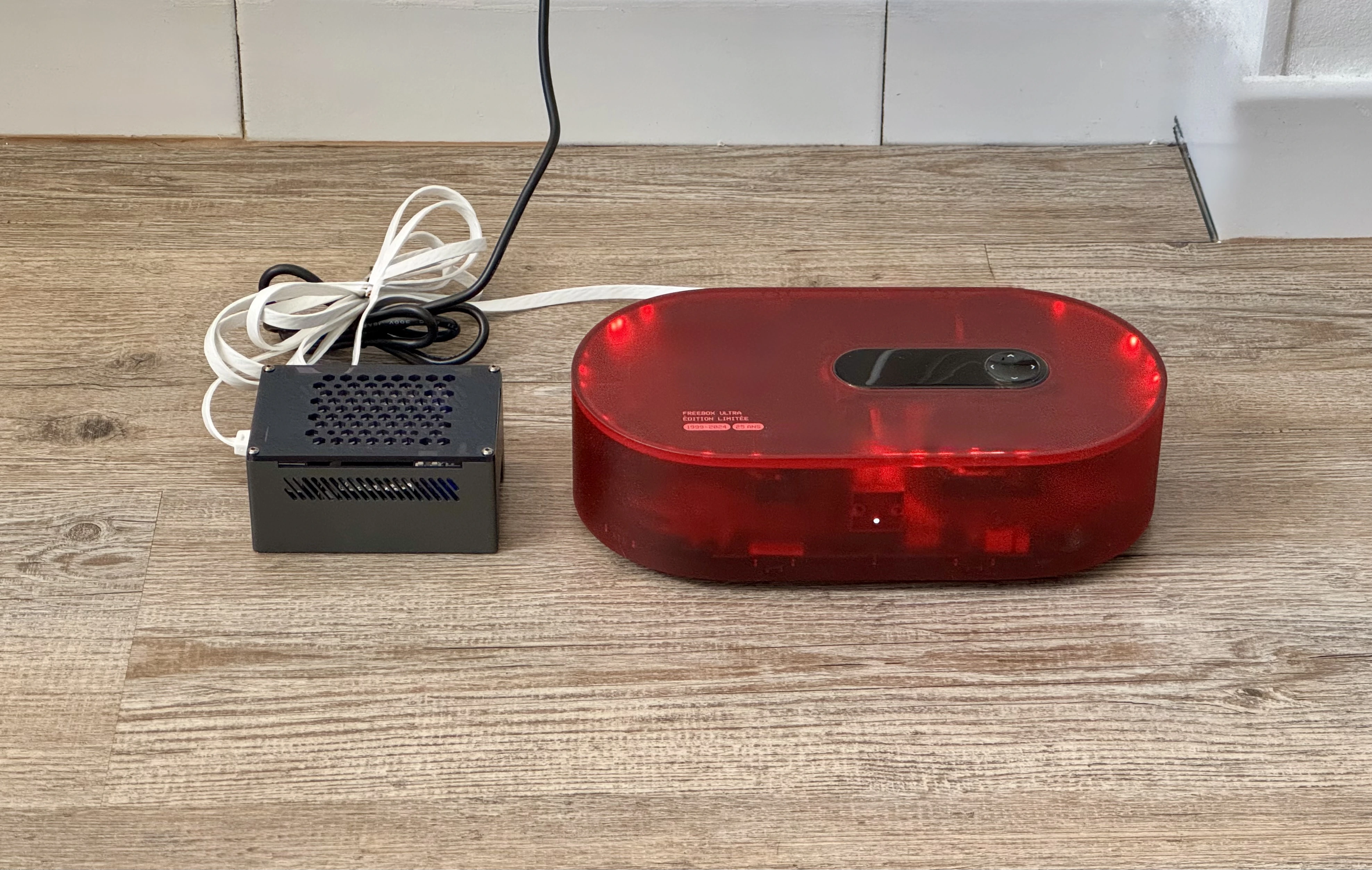
I originally hosted my projects on a paid Hostinger VPS. It worked, but maintaining another subscription for infrastructure I did not fully control eventually stopped making sense. I wanted to build a small self-hosted platform that I could operate, extend and secure myself.
From a Raspberry Pi to a private cloud
The server is built around a Raspberry Pi 5 with a quad-core ARM processor and 8 GB of RAM. Instead of relying on a microSD card, I added an NVMe HAT and a 256 GB Lexar SSD, then installed Ubuntu server directly on it for more reliable storage and better I/O performance.
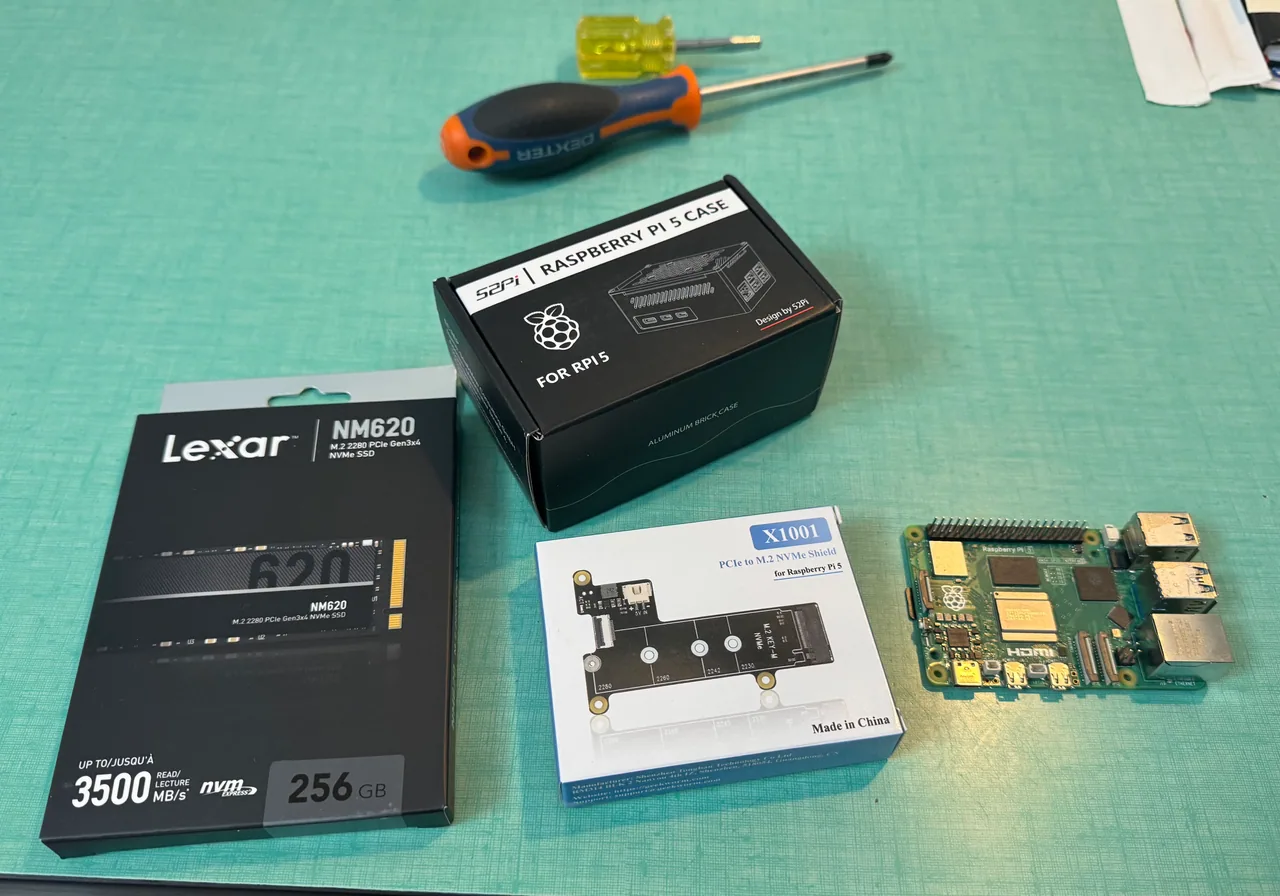
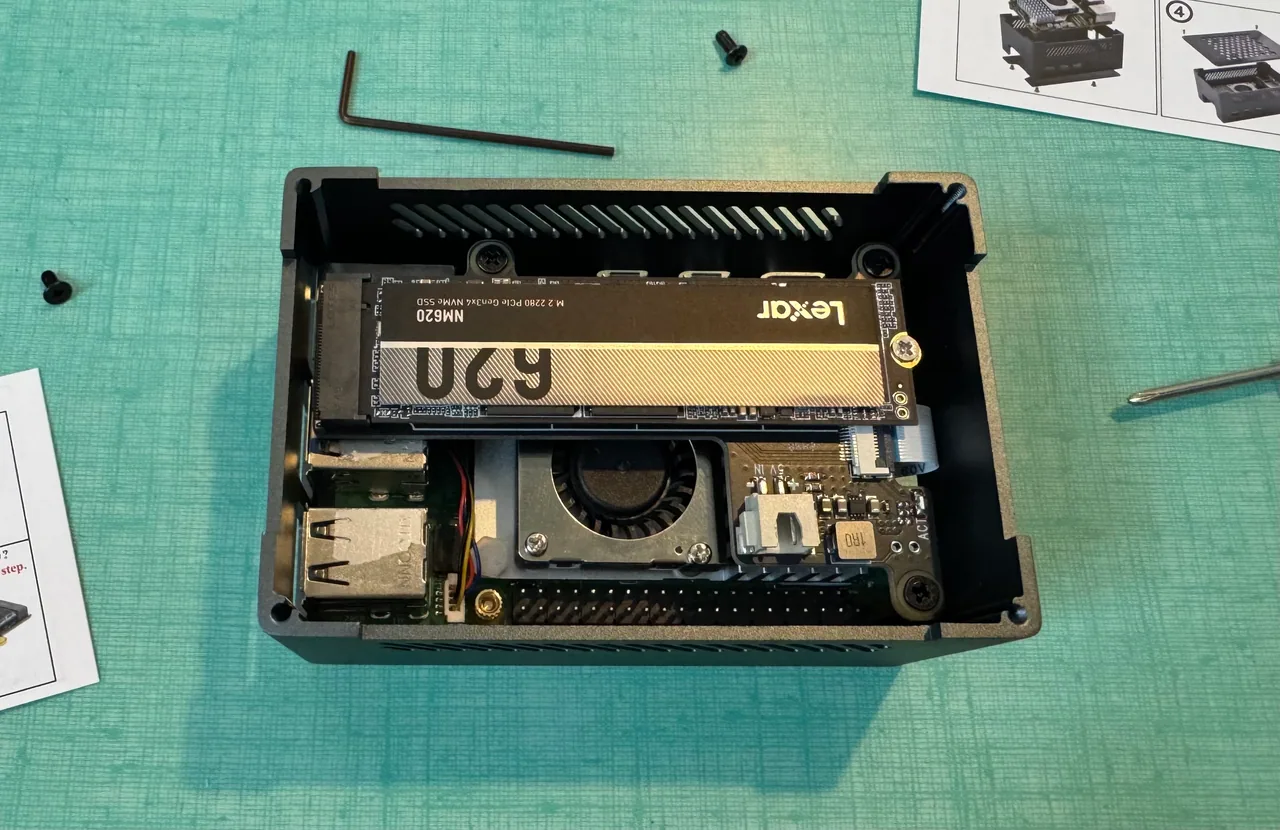
The network setup relies on a Freebox with a full-stack static IPv4 address, giving me access to the complete port range of my public IP. The Raspberry Pi is configured as the DMZ host and acts as the main entry point for incoming traffic.
Connections are filtered by the host firewall before being routed to the appropriate containerized service.
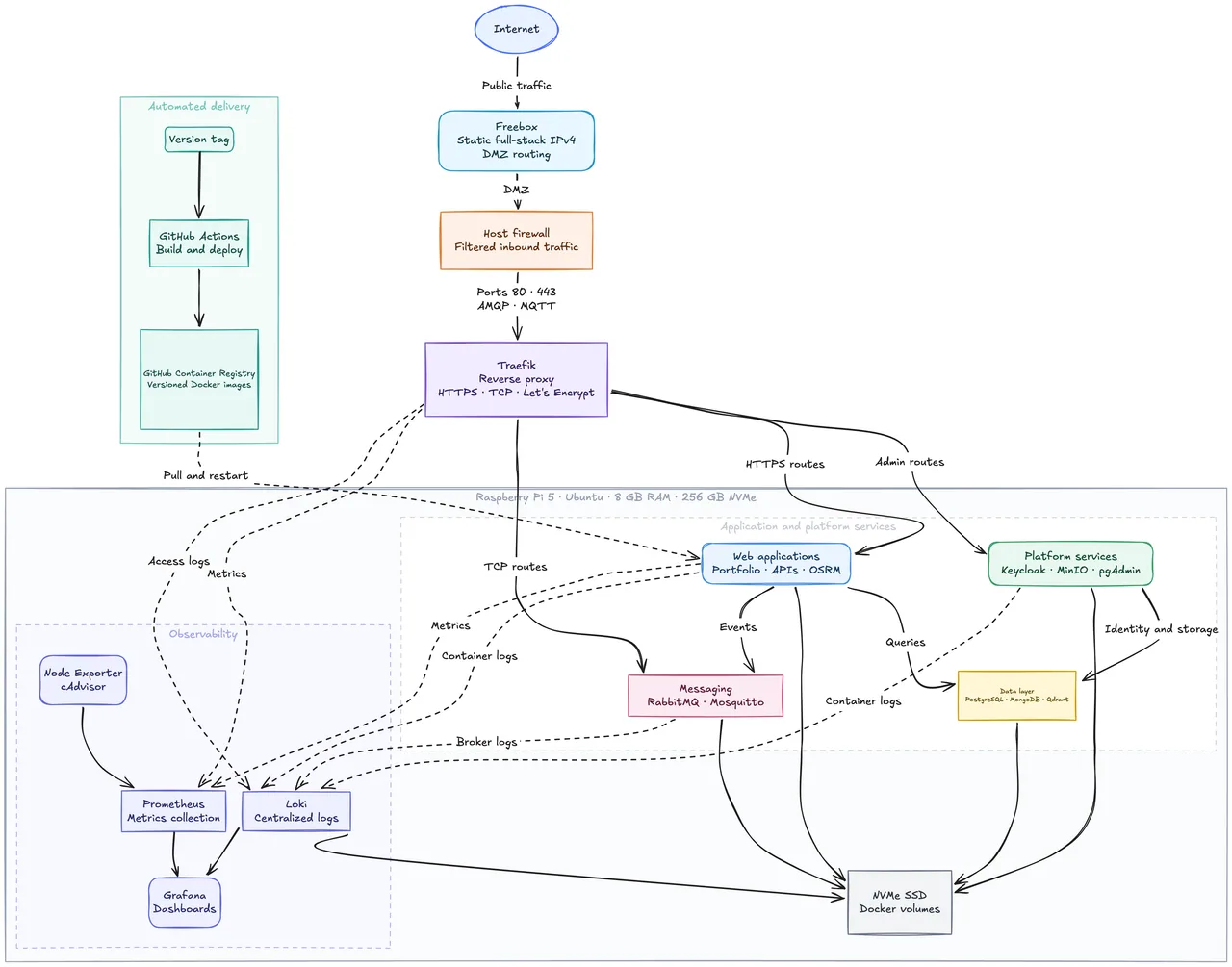
Infrastructure at a glance
The platform is split into several Docker Compose stacks connected through dedicated proxy, monitoring and database networks.
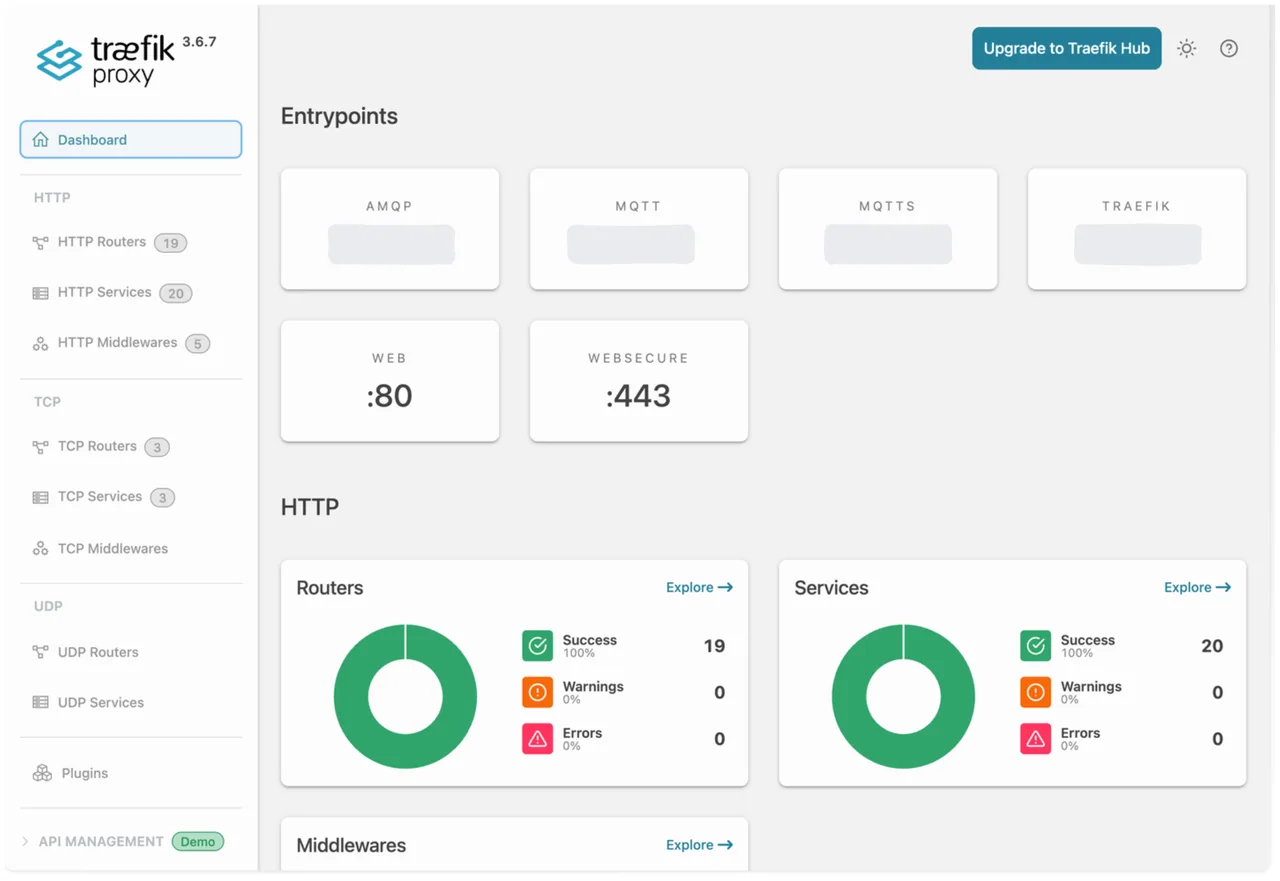
Traefik listens directly on ports 80 and 443, discovers containers through the Docker provider and provisions TLS certificates automatically. An earlier version placed HAProxy in front of Traefik, but I later removed that additional layer to simplify the request path and reduce the number of components exposed at the network edge.
Operating on constrained hardware
Running this stack on 8 GB of memory requires explicit resource management. Containers have CPU, memory and process limits, while health checks and restart policies allow unhealthy services to recover automatically.
Persistent data is stored in Docker volumes, and the services are separated across dedicated networks. Databases remain isolated from the public-facing layer unless a specific route or protocol is required.
This setup gives me enough flexibility to host web applications, databases, authentication services, object storage, message brokers and internal APIs from the same ARM machine.
Monitoring and logs
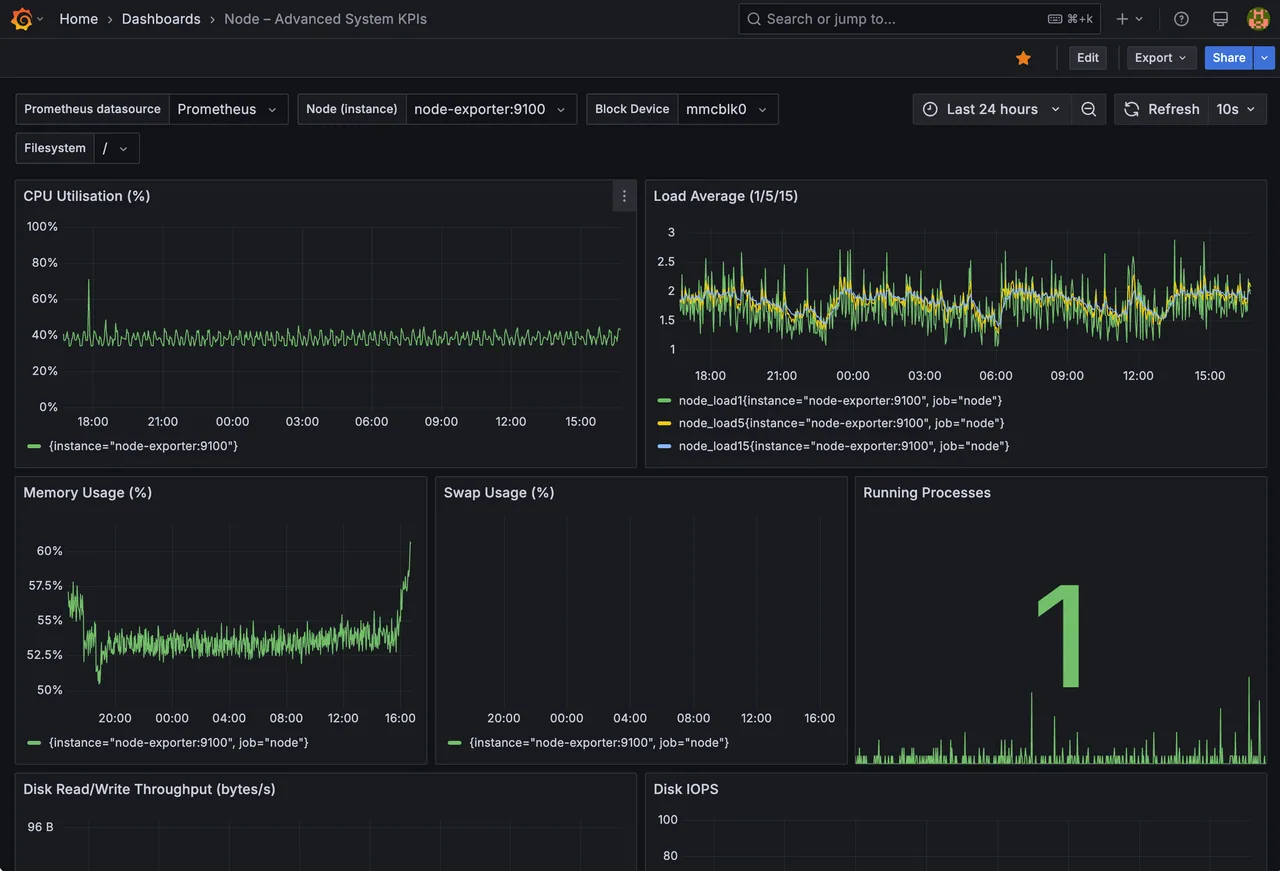
The observability stack is built around Prometheus and Grafana. Node Exporter exposes operating-system metrics, while cAdvisor monitors individual containers. Loki and Promtail collect Docker logs and make them searchable from the same Grafana interface.
The dashboards provide visibility into:
- CPU and memory usage
- Disk activity and storage capacity
- Network traffic
- Container health
- System temperature
- Server uptime
- Traefik requests and errors
This allows most operational issues to be investigated without connecting to the server through SSH.
Automated deployments
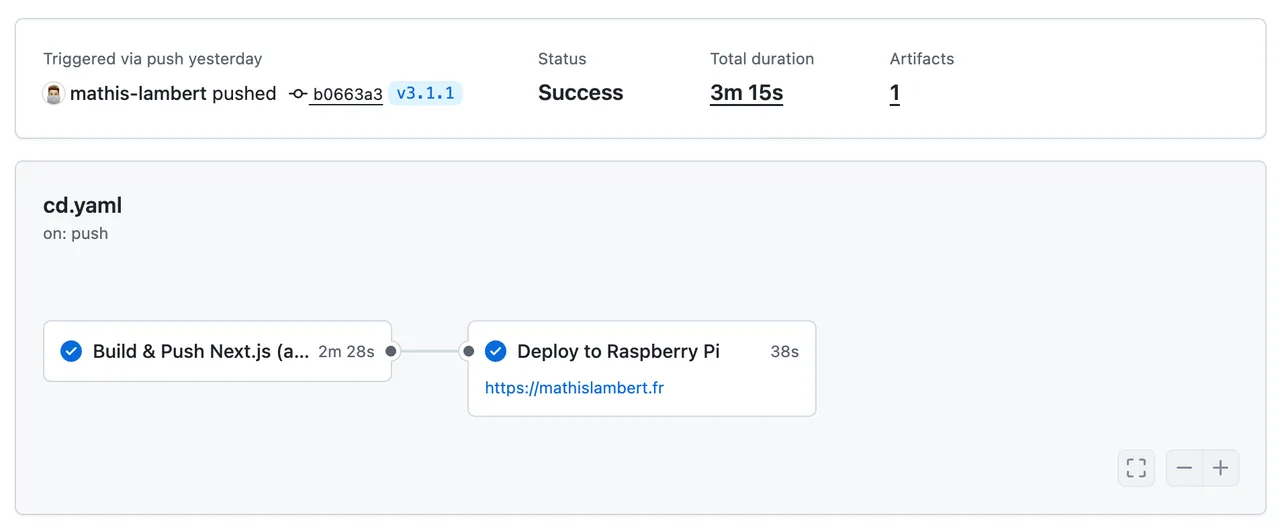
Some projects are connected directly to the server through GitHub Actions. For example, publishing a version tag for my personal website triggers a workflow that builds the application, publishes its Docker image to the GitHub Container Registry and deploys the new version to the Raspberry Pi.
The deployment flow is therefore reduced to:
- Create and push a version tag.
- Build the production Docker image.
- Publish the image to the registry.
- Pull and restart the service on the server.
- Let Traefik expose the new container through the existing HTTPS route.
The result
This infrastructure removed the recurring VPS subscription and gave me ownership of the machine, network entry point, deployment process and stored data.
More importantly, it became a practical environment for working with Linux administration, networking, container security, observability and automated production deployments on constrained ARM hardware. The platform continues to evolve as I add new projects and services, while remaining small enough to operate from a single machine.